 Published Fri May 09 2025, 8 min read
In 2018, a friend and I started giving pigs stupid names in Minecraft. We didn't stop.
- Over the years, I made several tools to track the list, and it was time for a new one.
- The previous tool was tied to a Minecraft server and only worked when it was online. This has gone from "infrequent" to "never," rendering the tool almost useless.
This isn't a tutorial! This is more of a walkthrough of my thinking, development process, and key takeaways. If you'd like to use my same tech stack, I'll setup a template if there's enough demand.
The need: I figured the best way to manage the list going forward is through a web app. At it's core, I need to edit the list of names, but there's plenty of other things the app should have.
- OpenID Connect (OIDC) authentication. Instead of signing into the app directly with a username and password, it'll take users to a third party to do so, meaning I'm not responsible for securing login credentials.
- Role-Based Access Control (RBAC). For everything users can do in the app, they need to be granted permission for it.
- Fully declarative configuration. Administrators should be able to setup the app ahead of time with a configuration file. I usually use NixOS for this, btw.
- Bulk import wizard. There's plenty of times my friend and I add many names at once. This should hold your hand through the entire process.
The plan: I started off wanting to make a website in Svelte, using Fuse.js for search and minimessage-js for formatting the names.
- I've used JavaScript plenty of times before, but never for something like this. As such, I had a really hard time fitting the pieces together, and actually making something from this plan sounded nightmarish.
Throwing that out the window, I decided to build everything in Rust. I had very little experience with it, but I was looking for an excuse to learn. This project then suddenly had a dual purpose: to solve a problem and to grow my skillset.
- This was also my first time having to develop a separate frontend and backend.
For the client/what you see:
- egui/eframe would provide the UI. It lets me write the frontend in Rust by compiling to WebAssembly, meaning I never have to touch HTML, CSS, or JavaScript. No complaints here.
- ehttp would communicate with the backend. The examples looked simple enough and pleasant to work with; however, I had to use the version in this PR which lets me tell the server the user is signed in.
For the server/what you don't:
- Rocket would handle all requests. It's the actual web server powering everything and has fantistic documentation helping you use it.
- Diesel would communicate with the database. I wanted to use PostgreSQL (especially after learning it supports full-text search) but have no knowledge of SQL. Diesel helped bridge the gap and made it easier to work with.
Starting work: So many times before, I'd get bogged down constructing a large foundation to build everything on. Instead, I focused on getting features done and redid parts of the architecture as the project grew.
- Seeing each feature actually work definitely maintained my focus and motivation throughout the process.
- I also sent my friends progress updates, helping to hold me accountable and keep going.
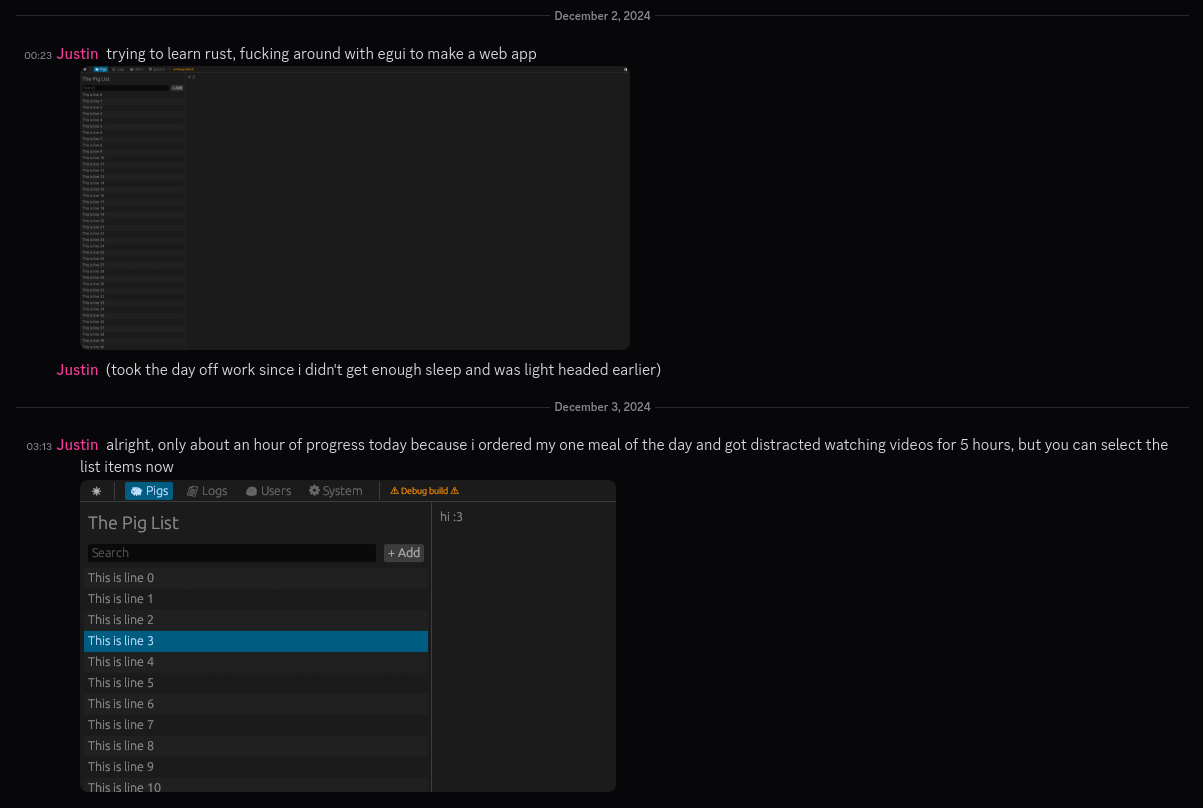
Editing the list itself was done first. If there was one part of the app that had to function, it's this, else it wouldn't be very good at its job.
I then implemented configuration for the server, gave the UI a fresh coat of paint, spent 18 hours in the hospital, and didn't work on the project for a month due to stress from work.
Returning from my hiatus, I got user accounts and OIDC login working, which took especially a lot of work to read the extra data and account for all error cases1.
- RBAC was not a challenge to implement after this, only taking a couple hours.
- I also cobbled together a good-enough page to manage all users.
To follow, I got around to client-side routing so users can conveniently link to each name on the list.
- In single-page applications like this, everything you see is handled by a single file. The path on the URL in the address bar (what comes after the slash, e.g. "/pigs") is placebo, telling the file what to show but still taking you to that one file.
- The router is what in the file reads the URL path and figures out what to show. I started off using egui_router, but had a few minor problems with it.
- Implementing routing manually, I made Rocket redirect all undefined routes to the client, which maps each route to the proper renderer for the page. Any extra data (such as the pig's id) is read from the url's anchor/hash (what comes after "#").
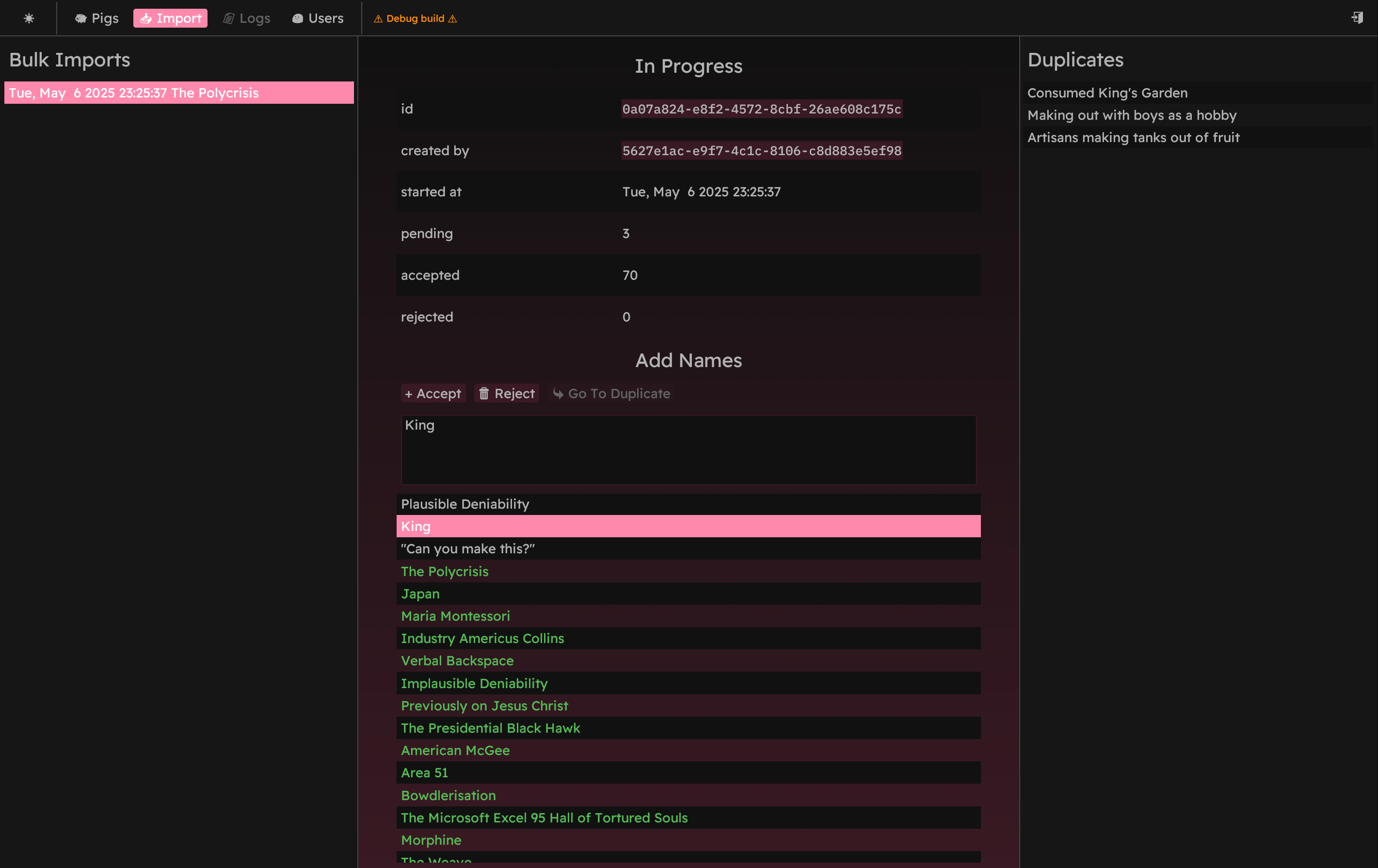
Finally, I implemented bulk imports. This was likely the most complicated feature to implement, as I tried to reduce how much data the client and server need to exchange while still showing the user a lot at once.
- It was developed in a rush for the finish line, and while not perfect, it doesn't have to be.
You can find the finished source code on GitHub. I still need to figure out what to do with this massive list of pig names though.
So, should you do this? I had a lot of fun on this project. While only making a little progress each day, I was fulfilled by working on something and getting to learn along the way, building my knowledge and slowly overcoming each obstacle one at a time.
- Looking back, this may be the most complicated project I've ever finished. I'm glad to have done so despite not doing every single feature I wanted.
For your backend, I highly recommend Rocket. It's truly a blast to use, and I haven't run into anything I really dislike about it yet.
For your frontend, it depends. egui has been great, and I'm really happy with the overall look-and-feel of the finished product. If you're making a desktop app--or don't care about the DOM and don't need routing--go for it.
- If you want a really good router and enjoy HTML, use Svelte. I genuinely love working with Svelte and can't recommend it enough for websites. This time, I chose the tools I did as a learning experience and don't regret it. For a more typical setup though, it's my go-to.
- If you don't want a single-page app, try rocket_dyn_templates. I haven't used it personally, but if you're looking to serve mostly static content, this seems like a great option. It may be way more powerful than I'm giving it credit for though, and for my next project with Rocket, I'll probably look in that direction. We'll see.
So, what's next? Time to make a video game, I'll see you on the other side. The OIDC implementation is based on rocket_oauth2 as rocket_oidc is 7 years old as of writing. As such, I had to use jsonwebtoken to parse the extra OIDC data, push any new user data to the database, and to make sure the user's session is not expired in either the OIDC response or the database. All logic for this process can be found in auth.rs. ↩